DESKERIO Launchpad
DESKERIO Launchpad is a web app at join.support that enables customers and users to start a remote support session in seconds – no installation required, ideal for on-demand remote support and spontaneous desktop presentations.
By entering join.support in the browser’s address bar, our web app is globally accessible - quickly and easily. After entering the Session-PIN, Launchpad automatically triggers the download of the appropriate DESKERIO App, which can be launched with a single click. No further input is required, your session partner will be connected with you in seconds.
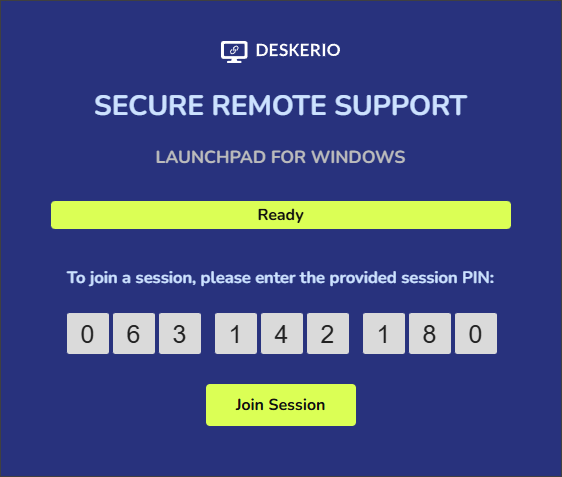
Once the PIN has been entered, Launchpad initiates the app download automatically.
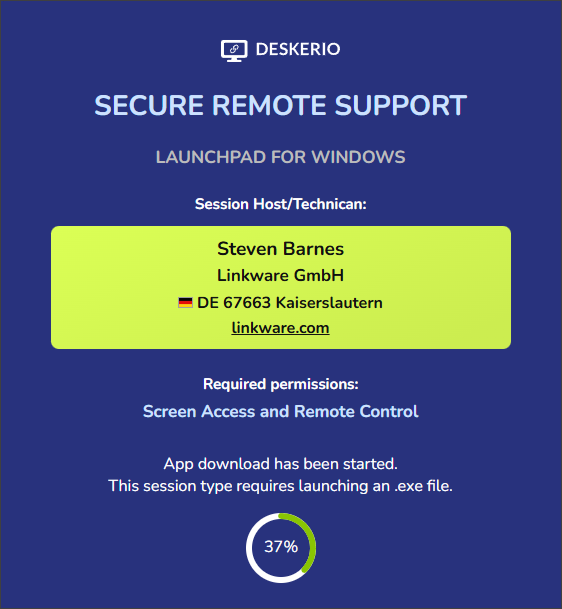
When the download is complete, a simple click on the file name in the browser popup is all it takes to launch DESKERIO. No further actions or inputs are needed—your session partner will be connected to you in a matter of seconds.
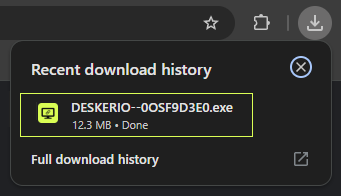
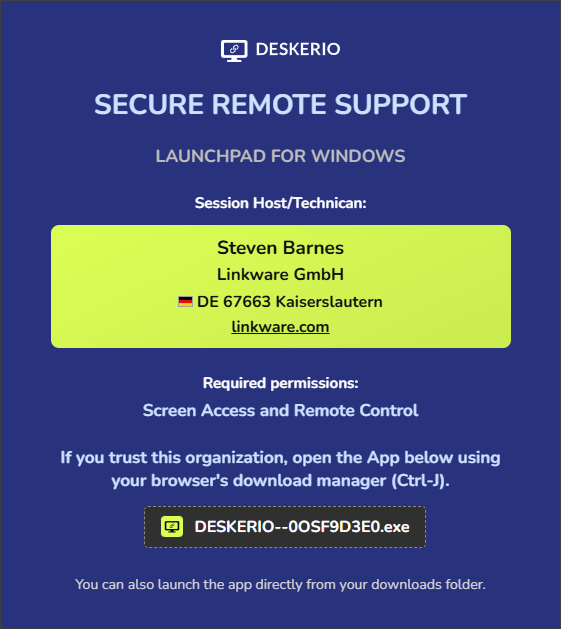
Launchpad works seamlessly with all major web browsers. If, in rare cases, the downloaded app doesn’t appear in the browser’s download manager, it can alternatively be launched directly from the downloads folder.
Why DESKERIO Launchpad for remote support sessions?
Before your session partner can receive support or view your screen presentation, they need the appropriate DESKERIO App for their operating system.
Of course, this app can also be downloaded directly from our download area and used to join the session. However, depending on the respective conversation or support situation, it can sometimes be quite difficult to quickly and easily direct your session partner to the right download link.
In contrast, join.support is extremely easy to communicate with, especially during a phone call or in a (video) chat, and can be accessed quickly and easily by anyone via their browser. Launchpad also offers a whole range of other advantages.
Security for remote support
App download only with valid session PIN
Launchpad only starts downloading an executable app if the session PIN communicated is valid. Unlike other solutions, Launchpad will never start downloading an executable file simply by visiting one of our websites. At first glance, such an approach may seem convenient and user-friendly. However, upon closer inspection, most users consider the unsolicited download of an executable file to be untrustworthy, if only for security reasons.
Information about the company and the requested rights
Once a valid session PIN has been entered, Launchpad will display the identity of the session partner to the visitor while the download is in progress. The company name, employee name1, and company headquarters are displayed. Launchpad also provides information about the permissions with which the app will run after launch.
Even before an application is launched, your session partner receives clear information about who wants to access their computer and what rights will be granted when the application is launched. This transparency assures users that they are starting the session with the right company, and strengthens trust and acceptance at the same time.
Additional benefits of DESKERIO Launchpad
Automatic operating system detection
Launchpad recognizes the user’s operating system based on the browser used, so it can automatically provide the appropriate app for the user’s operating system after they enter the session PIN. Although DESKERIO is currently Windows-only, this will significantly simplify provisioning for users of other operating systems in the near future.
Provision of the latest program version
DESKERIO is updated regularly. Launchpad ensures that your session partner always has the latest version of the program available and does not need to update an outdated program version before the session can start.
No additional security prompts
DESKERIO for Windows is signed with a code signing certificate from Microsoft. This means that, after downloading, the app has an immediate, very high Windows SmartScreen Reputation, allowing it to launch directly without any operating system warnings. It does not matter whether the app was obtained from our download area or via Launchpad.
Launchpad already displays information about the session creator and the app permissions required during download. Therefore, when starting via Launchpad, the security prompt that is normally displayed is skipped, allowing a connection to be established faster without further user interaction.
Start now and try DESKERIO® for free.
It is not always desirable or necessary to display an employee’s real name. In this case, the user can instead assign an abbreviation (e.g. Alex or Jane B.) or any alias/nickname of their choice. ↩︎